(346) 645 0000 Spring, TX

Chevrolet model guide

Used Chevrolet Malibu for sale in Houston, TX

Looking for a used Chevrolet Malibu for sale near Houston or Spring TX? Essence Autos keeps the next step simple with live Chevrolet Malibu inventory, clear vehicle details, and easy next steps for financing, trade-ins, and test-drive questions.

Current inventory

Chevrolet Malibu Sedans in Current Inventory

Compare live inventory first, then call before visiting to confirm availability, current price, mileage, and test-drive timing.

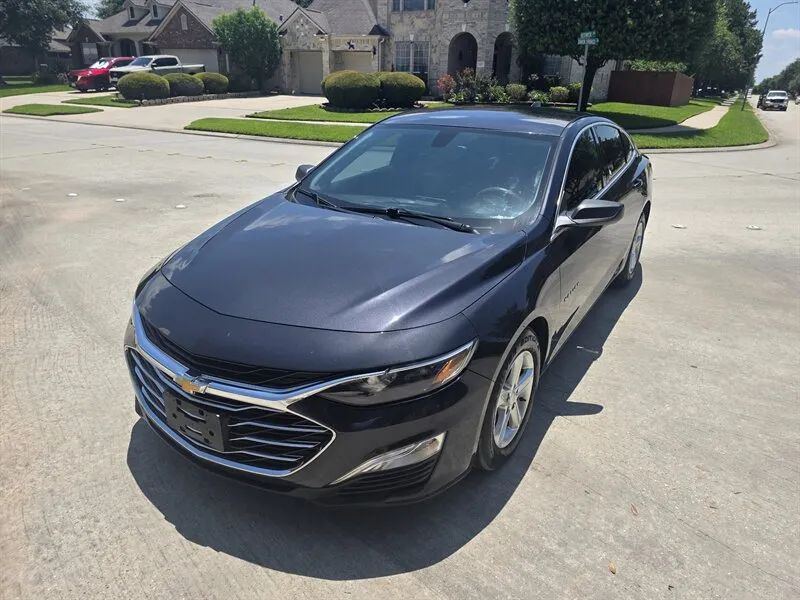
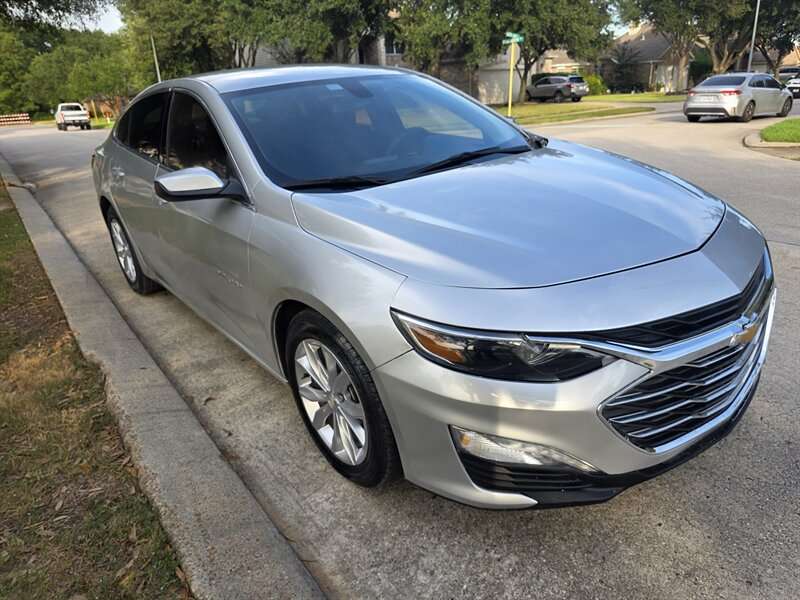
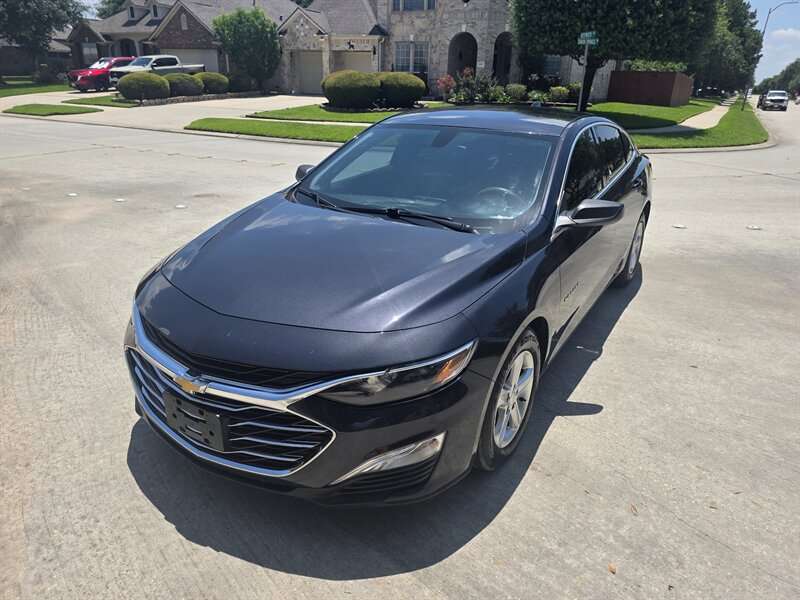
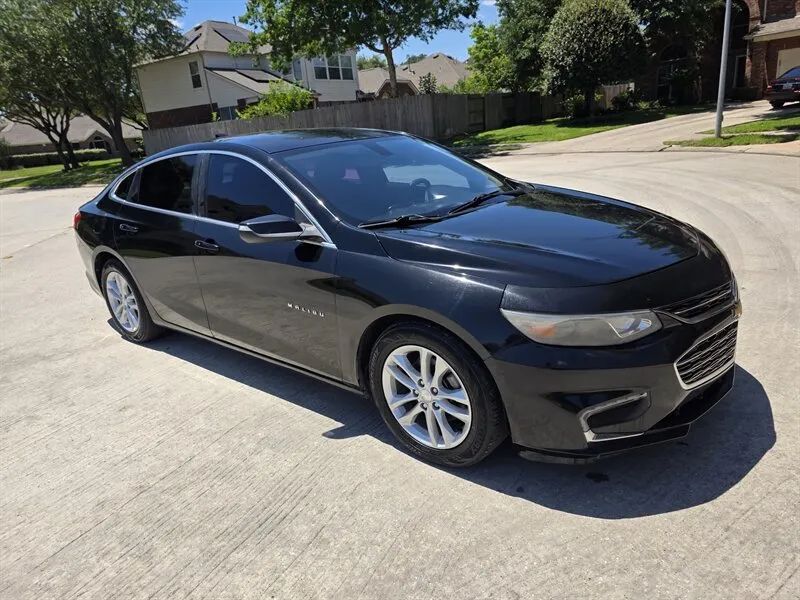
2016 Chevrolet Malibu LT Sedan 4D used vehicle photo near Houston TX
2022 Chevrolet Malibu LS Sedan 4D used vehicle photo near Houston TX
2016 Chevrolet Malibu LT Sedan 4D used vehicle photo near Houston TX

Why Houston drivers shop the Chevrolet Malibu

Use the current Malibu listings to compare the year, trim, mileage, price, photos, equipment, and condition that fit your daily needs before choosing.

What stays important: year, trim, engine or powertrain, drivetrain, mileage, condition, tire wear, interior wear, price, body style, and report access when available.

What should not decide everything: the model name by itself. A Malibu badge tells you the general vehicle. The exact listing tells you whether it fits your people, route, budget, and plans.

Choose the right Malibu sedan setup

Photos: read the gallery like a first inspection.

Condition: compare tires, seats, dashboard lights, air conditioning, body panels, mileage, and payment fit before visiting.

2016 Chevrolet Malibu LT Sedan 4D used vehicle photo near Houston TX
2022 Chevrolet Malibu LS Sedan 4D used vehicle photo near Houston TX

Malibu years and generation notes

Use model years as a starting point, then judge the exact Malibu. Used vehicles age by mileage, care, heat, tires, repairs, and how they were driven.

Used Malibu

Compare exact years and trims

Start with the year and trim, then use the listing and photos to check the equipment, mileage, condition, and price for the exact Malibu.

Listing details

Let the exact vehicle lead

Two Malibu listings can differ in miles, equipment, tires, seats, and visible condition, so compare the details instead of relying on the badge alone.

Before visiting

Save the stock number

Keep the year, trim, price, mileage, and stock number together when you call so the availability question is about the same Malibu you reviewed.

Current used Chevrolet Malibu inventory

The live cards below are the current source of availability. Open a listing to review photos, price, mileage, VIN details, equipment, fuel type, transmission, and available report links.

Available inventory No vehicles found
No vehicles are currently available for this selection. Inventory changes often. Browse every available vehicle or call us for help. Browse all inventory

Engine, transmission, and sedan checks

Condition

Read the exact listing

Compare photos, mileage, tires, seats, dashboard lights, air conditioning, body panels, and report links when available.

Payment

Keep the whole cost in view

Think about taxes, fees, insurance, fuel, tires, maintenance, and repair room before choosing.

How to choose between Malibu years and trims

Start a Malibu search by sorting the listings into real buyer-use groups. The same model name can cover different years, trims, engines, drivetrains, features, mileage, and ownership histories.

Configuration

Compare the setup before the badge

Compare the exact Malibu by year, trim, price, miles, photos, condition, and buyer fit before choosing.

Specs

Exact equipment matters

Use the listing and photos to compare the trim, equipment, drivetrain, interior, and features that are present on each Malibu.

Condition

Mileage needs context

Put the mileage beside the tire condition, seats, dashboard, body panels, air conditioning, and price before deciding which Malibu deserves a visit.

Photos and VIN checks

Use the listing before the drive

Save the stock number, read the photos slowly, and ask about the report access and any condition detail that is not clear from the listing.

Malibu trims without the jargon

Trim names are useful clues, but condition and price matter more. Compare the exact Malibu by photos, mileage, features, tires, cabin condition, and payment fit.

2022 Chevrolet Malibu LS Sedan 4D used vehicle photo near Houston TX

Match the Malibu to your daily drive

A Malibu can fit different buyers depending on route, passengers, cargo, payment, and condition. Call with the stock number before visiting so the team can confirm the exact vehicle.

Simple way to compare a used Malibu: separate the name from the exact vehicle. The Chevrolet Malibu name tells you the family. The listing tells you the real story. Look at the year, trim, miles, price, photos, tires, seats, body panels, dashboard, air conditioning, fuel type, transmission, and report link when available. A clean older sedan can be a better fit than a newer one that stretches the budget. A newer sedan can be better when the payment still leaves room for insurance, fuel, tires, and normal upkeep.

Use years and trims as a map: year ranges can help you understand body shape, cabin style, engine choices, safety features, and comfort options, but they do not replace checking the exact listing. A base trim with clean photos, good tires, working air, and a fair price may be easier to own than a higher trim with heavy wear. A higher trim can make sense when you will use the comfort, tech, seating, or driver-help features every day. Do not buy only because the badge sounds good. Buy because the actual Malibu fits your route, people, cargo, and budget.

Older and newer both need a plan: older vehicles can be attractive because the price is lower, but leave room for tires, brakes, fluids, batteries, belts, hoses, sensors, and normal repairs. Newer vehicles can feel nicer and may have more comfort or safety tech, but the payment, insurance, taxes, and fees can be higher. The best choice is the one that fits the whole cost, not just the monthly payment or the year on the windshield.

Do not compare only one or two vehicles: each model can have many years, trims, engines, packages, seat layouts, and price points. A fair comparison should include the current Malibu listing, similar sedans, the same brand family, and the budget pages if payment is the first limit. That helps you avoid forcing the wrong vehicle just because it has a familiar name.

Check the small things too: keys, tires, windshield, lights, seat controls, door handles, radio, camera view, spare tire tools, liftgate or tailgate operation, and A/C can all affect how happy you are after purchase.

Match it to your day around Spring and Houston: a daily driver should feel easy in traffic and parking lots. A family vehicle should have seats, cold air, storage, and doors that work easily. A work vehicle should fit the tools, people, cargo, and road conditions you deal with. If the Malibu is close but not perfect, compare it with similar used sedans near Houston before choosing. If the brand matters first, compare the current Chevrolet inventory. If budget matters first, start with used vehicles under $15k or ask about financing after you pick a real stock number.

Read the photos like a first visit: check the front, sides, rear, wheels, tires, seats, steering wheel, dashboard, center screen, cargo area, bed or trunk, door panels, and roof line when photos are available. Normal wear is expected on a used vehicle. The question is whether the wear matches the miles, price, and age. If something matters to you, ask before visiting. A short call can save time, especially if you are driving from Houston, The Woodlands, Tomball, Klein, Cypress, Humble, or another nearby area.

Ask better questions: instead of asking only if the Malibu is still there, ask about the stock number, current miles, current price, report link, title details shown to the dealer, tire condition, A/C, warning lights, keys, and any photos you want explained. If you plan to trade, have your VIN, miles, payoff or title status, keys, and basic condition notes ready. If you plan to finance, pick the vehicle first so the payment conversation is tied to a real price, real miles, real taxes and fees, and real lender review. That makes the conversation much clearer for you and for the dealership.

Call before you visit: inventory can move fast. Save the vehicle name or stock number, then call Essence Autos before driving over. The team can confirm current availability, price, mileage, report access, and the best time to see that exact Malibu. That keeps your visit tied to a real vehicle instead of a guess. Take your time, compare calmly, and ask clear questions before you choose.

Commuter car

Daily driving

Prioritize fuel cost, air conditioning, seat comfort, visibility, easy parking, tire condition, and whether the car feels simple to use every day.

Family sedan

Passenger comfort

Check rear-seat room, trunk space, seat wear, dashboard condition, safety features by year, and whether passengers fit comfortably.

Budget sedan

Value check

Compare price, miles, tires, brakes, interior wear, report link when available, insurance, fuel, and repair room before choosing.

Questions about buying a used Chevrolet Malibu

Is a used Chevy Malibu good for commuting?
A used Chevy Malibu can fit commuting when the exact car has the mileage, tires, A/C, seat comfort, fuel cost, and payment that match your daily drive.

Did Chevrolet stop making the Malibu?
Chevrolet ended North American Malibu production in 2024. Used Malibu listings can still be useful, but buyers should compare the exact year, trim, miles, and condition.

What should I compare with a Malibu?
Compare Toyota Camry, Honda Accord, Nissan Altima, Honda Civic, Toyota Corolla, Ford Fusion, and other sedans by price, miles, condition, and payment.

Can I trade in a vehicle toward a Malibu?
Yes. Bring trade-in basics like VIN, miles, title or payoff information, keys, and condition notes so the team can discuss the trade with the Malibu listing in mind.

Keep shopping: used Malibu, all inventory, similar sedans, under $15k, trade-in help, or contact Essence Autos.

One more buyer check: if two Malibu listings look close, choose the one that is easier to understand. Clear photos, clear mileage, a real VIN, a fair price, and a quick phone confirmation help more than guessing from a model name. If the vehicle is for family use, sit in each row and think about the people who will ride with you. If it is for work, think about loading, parking, fuel, tires, and the kind of roads or jobs it will see.

Keep the budget real: a used sedan should leave room after the sale. Insurance, fuel, tires, brakes, registration, taxes, fees, and normal service are part of the same decision. A lower price is helpful only when the vehicle still fits your day. A higher price is easier to accept only when the condition, features, and comfort make sense for how you will use it.

Use the listing before the visit: write down the stock number, year, trim, miles, and price before you call. Ask whether the Malibu is still available and whether anything important changed since the page was last updated. That keeps the shopping process simple for Houston-area buyers and helps the Essence Autos team answer faster.

Compare comfort and condition together: a vehicle can have the right badge but still feel wrong if the seats, controls, cabin noise, tires, or ride do not fit your day. It can also be older and still make sense if the photos are clean, the price is fair, and the basic features you need work well.

Think about the full week: school runs, work traffic, grocery trips, weekend errands, parking, passengers, and fuel stops all matter. The right Malibu should make those normal days easier, not just look good in one photo.

Use one clear comparison list: put the year, trim, mileage, price, visible condition, tire condition, cabin comfort, air conditioning, report access when available, and expected ownership costs beside each Malibu you are considering. That keeps the decision tied to the actual vehicle rather than a model name alone.

Decide what needs to fit: think through passengers, cargo, parking, daily miles, fuel use, and the way you will use the Malibu after the sale. A vehicle is easier to choose when the practical needs are clear before the visit.

Keep the visit focused: save the stock number and bring the questions that matter most about the exact Malibu. That makes it easier to compare the listing, photos, and condition with the vehicle in front of you.

Look at the whole vehicle: the seats, dashboard, controls, cargo area, tires, glass, lights, and body panels can help explain whether the price and mileage make sense for the Malibu you are considering.